How the government’s “Lock the Door” campaign helps meet Cyber Essentials requirements
The government has a new campaign, aimed squarely at small and medium-sized businesses, to help them get closer to meeting Cyber Essentials requirements, the NCSC’s minimum standard for cyber security and data security. The message is direct: with increasing cyber threats, the basics aren’t optional anymore.
The numbers behind the campaign are concerning. Cyber attacks in the UK cost businesses £14.7 billion a year, and half of all small firms experienced a cyber incident in the last 12 months. Significant cyber incidents cost an average of £195,000 in financial and reputational damages.
Despite the risks, and cautionary tales of small businesses falling victim to cyber crime, many organisations have still not implemented basic cybersecurity controls.
What is Cyber Essentials certification?
Cyber Essentials is a cyber framework and government-backed certification scheme, built around five technical controls that cover the most common ways attackers get in. Those controls are:
- Firewalls to filter traffic between the internet and your network
- Secure configuration so your systems aren’t left open by default settings
- User access control so people can only access what they actually need
- Security update management to close off vulnerabilities before attackers can use them
- Malware protection to catch and block malicious software
There’s also a higher tier called Cyber Essentials Plus. While Cyber Essentials is self-assessed, Cyber Essentials Plus requires independent verification. An assessor will run external and internal vulnerability scans, check device configurations, test access controls, and confirm that things like multi factor authentication MFA are actually working as intended. For businesses that want to bid on government contracts or need to demonstrate security credentials to clients, it’s worth considering.
While larger organisations have been working to the standards laid out by Cyber Essentials for years, smaller businesses have been slower to adopt them, often because they assume the guidance is aimed at someone else. It isn’t.
MFA helps prevent cyberattacks and breaches
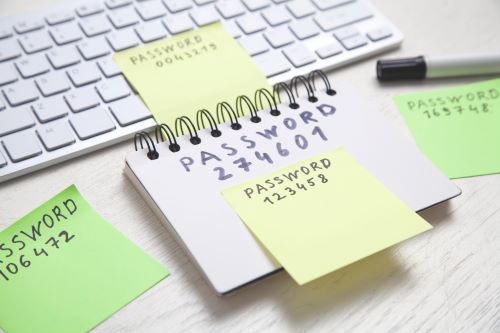
If you’re looking at the five controls and wondering where to begin, MFA is probably your quickest win. Stolen credentials were an initial access vector in 22% of all confirmed cyber breaches. While MFA won’t stop every attack, it does make stolen passwords significantly less useful to an attacker.
A good MFA setup doesn’t have to be complicated. The main things to get right are choosing an authentication method that fits how your staff actually work, making sure it covers all the accounts that matter (admin access, email, cloud services), and not creating so much friction that people start looking for workarounds. If your MFA is annoying enough that people complain about it, that’s a signal worth taking seriously, because a frustrated user is one accidental approval away from letting someone in.
Phishing-resistant MFA, such as FIDO2 passkeys or certificate-based authentication, provides enhanced identity protection, going further by removing the approval step entirely. Authentication happens between the device and the legitimate service automatically, so there’s no prompt for an attacker to abuse. It’s particularly worth considering if your team works across multiple locations or relies heavily on remote access.
Top tips for a successful multi factor authentication (MFA) implementation
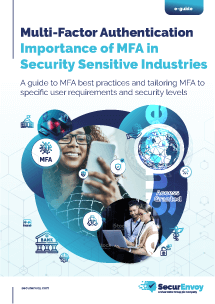
MFA is an easy way to ensure online security. Done well, MFA can be cost effective, enable innovative work, and is easily understood. Get it right from the start, so you’re not dealing with complaints, workarounds, or gaps in coverage six months down the line. Follow SecurEnvoy’s top tips for a smooth implementation:
- Pick the right method for your users. While push notifications are convenient, they can be exploited by MFA bombing campaigns. OTP apps are a step up. FIDO2 passkeys or hardware tokens are better still (for anyone with access to sensitive systems – remove).
- Cover every account that matters, not just the obvious ones. Email and VPN usually get MFA first, then everything else gets forgotten. Shared admin accounts, cloud storage, finance tools, and supplier portals are all worth checking. Attackers will take the path of least resistance, so gaps in coverage tend to be exactly where they end up.
- Apply context to login decisions. Most MFA platforms let you add rules based on location, device, time of day, and similar signals. This means you can investigate any anomalies, like log-ins from foreign countries at 3 am. You can block those logins automatically without adding friction for everyone else.
- Don’t ignore third parties. Contractors, suppliers, and vendors with access to your systems need to meet the same MFA requirements as your own staff. Third-party access is one of the most common attack vectors and one of the most frequently overlooked.
- Make the experience frictionless enough that people comply. If MFA is slow, confusing, or breaks regularly, staff will complain, ask for exceptions, or find workarounds. The goal is security that’s easy enough to follow so that nobody feels the need to route around it.
- Test that it’s actually working. This is what Cyber Essentials Plus checks for. Don’t assume MFA is doing its job because it’s switched on. Periodically verify that accounts genuinely can’t be accessed without the second factor, and include MFA in any internal security testing you run.
Why this matters now
The aim of the Lock the Door campaign is to drive awareness, but it’s also to nudge organisations towards certification. Whether organisations are looking for certification or not, getting these controls in place means you’re less exposed to the attacks that are actually happening – not the sophisticated nation-state scenarios that make headlines, but the credential stuffing, phishing, and opportunistic access attempts that hit small businesses every day.
SecurEnvoy’s MFA and access management solutions are built to be straightforward to deploy, including for organisations without a large IT team. If you want to talk through where to start, get in touch or explore our MFA solutions.
Published: 31 March 2026
Category: Industry News

Multi-Factor
Authentication
(MFA)
Any user. Any device.
Anywhere.
For companies that take authentication seriously.
Learn more about SecurEnvoy MFA
Hear more from
our security
experts
What to read next...